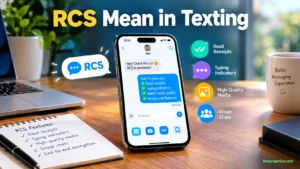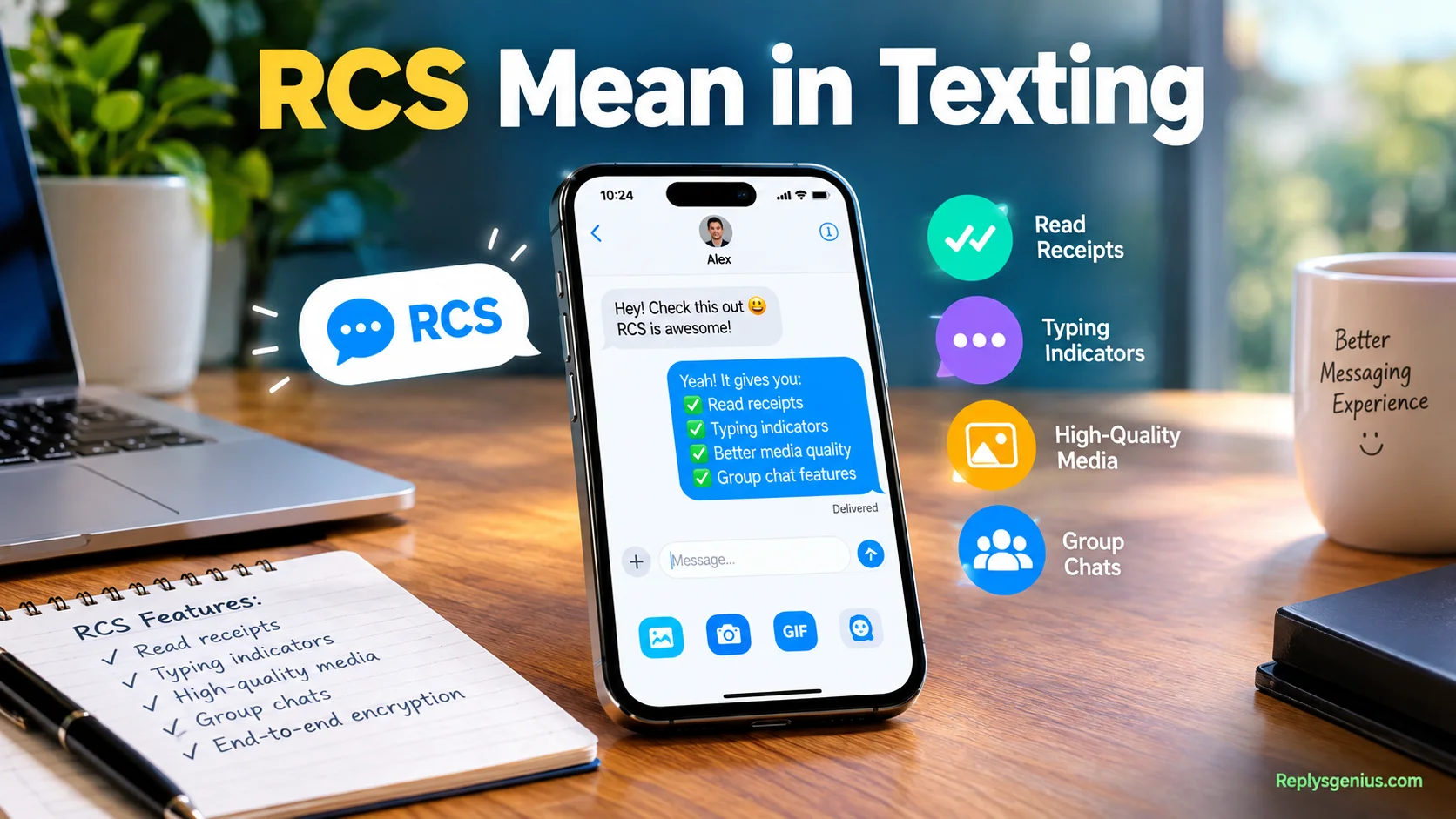
RCS Mean in Texting explains how Rich Communication Services makes everyday texting smarter with richer chats, media, and useful messaging features.RCS, or Rich Communication Services, is a modern messaging protocol and upgraded messaging system that offers more features than traditional SMS. Through Wi-Fi or mobile data, it supports read receipts, typing indicators, high-quality media sharing, and better-quality chats instead of basic plain SMS. In today’s digital world, texting is evolving fast, which is why people search what does RCS mean in texting in text when they notice typing dots, Chat features, or changes inside their messaging app.
From my years of testing messaging protocols across different carriers and devices, I’ve seen how RCS makes messaging feel smoother and more useful. It supports smoother conversations, real-time chat features, media sharing, richer photos, and safer group chats with friends or during work messages, without switching apps. In plain terms, RCS Meaning in Text Messages means your text messages become smarter while staying in the messaging app, often without needing a new app or new number.
RCS also works on your phone by connecting traditional messaging services with newer services and features. Its business use cases can support customer communication and richer business conversations, while the modern texting standard keeps messaging more practical and friendly. Once you understand how it works behind the scenes, you can use it confidently and recognize how RCS improves everyday communication.
What Does RCS Stand for in Texting?
RCS means Rich Communication Services. It’s a messaging standard developed to expand traditional carrier-based texting with features people now expect from modern chat apps.
The idea is straightforward: SMS was designed for short text messages, while MMS added basic multimedia capabilities. RCS goes further by supporting a richer conversation experience.
When your phone uses RCS, you may see features such as:
- Read receipts
- Typing indicators
- High-quality photo sharing
- Video sharing
- Message reactions
- Richer group conversations
- Better multimedia support
- Internet-based message delivery
The exact experience depends on the messaging application and service involved. That’s important because RCS isn’t one single app.
Think of RCS as a common set of rules for richer mobile messaging. Your messaging app uses those rules to provide features that traditional SMS doesn’t have.
What Does RCS Mean in a Text Message?
When someone says they sent an RCS message, they’re generally referring to a message sent through an RCS-enabled conversation rather than traditional SMS or MMS.
The difference becomes obvious when you use features that basic texting doesn’t support.
For example, imagine sending your friend a photo from a hiking trip. With traditional MMS, the image may be compressed heavily. In an RCS conversation, compatible services can provide a much richer media-sharing experience.
You may also see:
- Sent status
- Delivered status
- Read status
- Typing indicators
- Emoji reactions
- Richer group-chat functions
So, if your phone says “RCS message,” it generally means your messaging service is using RCS capabilities for that conversation.
It doesn’t mean the recipient is necessarily using a particular phone brand. Compatibility depends on several factors, including the device, messaging app, operating system, carrier, and region.
How Does RCS Messaging Work?
RCS messaging generally relies on an internet connection rather than the traditional SMS channel.
That connection can come from Wi-Fi or mobile data. Your messaging application communicates with an RCS service that handles the conversation and its supported features.
A simplified flow looks like this:
Your phone → Messaging app → RCS service → Recipient’s messaging service → Recipient’s phone
The actual technical infrastructure can be more complicated, but the basic concept is easy to understand.
When both sides support compatible RCS functionality, the conversation can use richer features. If RCS isn’t available, the messaging experience may change depending on the settings and services involved.
Several factors can affect RCS availability:
- Your phone’s operating system
- Your messaging application
- Carrier support
- Country or region
- Internet connection
- RCS settings
- Recipient compatibility
- Service availability
That’s why two people with relatively new phones can sometimes have different messaging experiences.
RCS vs. SMS vs. MMS
RCS, SMS, and MMS all handle mobile messaging, but they aren’t interchangeable technologies.
| Feature | RCS | SMS | MMS |
| Full name | Rich Communication Services | Short Message Service | Multimedia Messaging Service |
| Internet-based | Generally | No | Traditionally carrier-based |
| Read receipts | Supported | No | No |
| Typing indicators | Supported | No | No |
| High-quality media | Supported | No | Limited |
| Rich group chats | Supported | Basic | Supported |
| Message reactions | Supported | Limited | Limited |
| Modern chat features | Yes | No | Limited |
SMS remains the basic text-message standard. It works without an internet connection and is widely supported.
MMS expanded mobile messaging by allowing pictures, videos, and other multimedia content.
RCS takes the concept further by adding features associated with modern internet messaging.
One useful way to remember the difference is:
SMS = basic texting, MMS = multimedia texting, RCS = richer modern messaging.
That isn’t a complete technical definition, but it makes the practical distinction much easier to understand.
What Features Does RCS Support?
One reason RCS has attracted attention is its ability to bring familiar chat features into the phone’s standard messaging experience.
The available features can vary by messaging app and service, but several capabilities are commonly associated with RCS.
RCS Read Receipts
Read receipts tell you that the recipient has opened or read a message when the feature is supported and enabled.
That’s different from delivery confirmation.
Delivered generally means the message reached the recipient’s device or messaging service. Read indicates that the recipient opened or viewed it according to the service’s rules.
For example:
You: “Are you still coming tonight?”
RCS status: Read
That gives you more information than traditional SMS normally provides.
RCS Typing Indicators
RCS can also support typing indicators.
If the other person starts composing a response, your messaging app may show an indicator that they’re typing.
It sounds like a small feature. In practice, it changes the rhythm of a conversation.
Instead of wondering whether someone received your message, you may see that they’re actively preparing a reply.
High-Quality Photos and Videos
RCS supports richer media sharing than traditional SMS.
That matters because modern conversations often include photos, videos, documents, screenshots, and other content.
An RCS-enabled messaging service can provide a more capable way to exchange that content than older MMS messaging.
However, exact file limits and media behavior can vary by service. It’s better to check the specific messaging app rather than assume every RCS implementation has identical limits.
RCS Message Reactions
RCS conversations can support reactions to messages.
Instead of typing:
“Haha, that’s funny 😂”
you may be able to react directly to the message.
The exact reaction experience depends on the messaging platforms involved. Cross-platform conversations can sometimes display reactions differently.
Better Group Chats
RCS is designed to support richer group messaging than traditional SMS.
Depending on the implementation, users can get features such as:
- Richer media sharing
- Message reactions
- Read indicators
- Typing indicators
- More capable group conversations
- Improved handling of multimedia
That makes an RCS group chat feel less like a collection of carrier texts and more like a modern chat thread.
RCS on Android Phones
RCS has become closely associated with Google Messages, one of the major messaging apps supporting RCS.
On compatible Android devices, Google Messages can provide RCS chat functionality when the required service and settings are available.
You may encounter terms such as:
- RCS chats
- Chat features
- RCS message
- Rich Communication Services
The exact wording can change depending on the software version and device.
RCS availability can also depend on the carrier and region. Therefore, having an Android phone doesn’t automatically guarantee that every RCS feature will work in every situation.
If you’re troubleshooting RCS, check:
- Whether your messaging app supports RCS.
- Whether RCS is enabled.
- Whether your phone has an internet connection.
- Whether your carrier or region supports the service.
- Whether the recipient can participate in an RCS conversation.
RCS on iPhone
RCS is also relevant to iPhone users, particularly for conversations with Android users where the required Apple software and carrier support are available.
This distinction matters because RCS isn’t iMessage.
Apple’s Messages app can handle different types of conversations. An iMessage conversation uses Apple’s proprietary messaging service. An RCS conversation uses the RCS standard. SMS and MMS remain separate messaging technologies.
For users, this means an Android-to-iPhone conversation doesn’t necessarily have to rely exclusively on traditional SMS or MMS when RCS support is available.
The practical experience can still differ from iMessage because the underlying technologies aren’t identical.
RCS vs. iMessage
RCS and iMessage both provide modern messaging features, but they come from different ecosystems.
| Feature | RCS | iMessage |
| Technology | Messaging standard | Apple’s messaging service |
| Main ecosystem | Cross-platform | Apple ecosystem |
| Internet-based | Yes | Yes |
| Read receipts | Supported | Supported |
| Typing indicators | Supported | Supported |
| Rich media | Supported | Supported |
| Android compatibility | Yes, where supported | No |
| Apple Messages integration | Supported | Native |
The biggest distinction is that iMessage is Apple’s messaging service, while RCS is an industry messaging standard.
That’s why an iPhone user can communicate with an Android user through RCS without turning that conversation into an iMessage conversation.
Why Does My Phone Say “RCS Message”?
If you see “RCS message” in your messaging app, the conversation is using RCS functionality rather than ordinary SMS messaging.
You may notice this label when:
- Starting a conversation with another compatible user
- Sending multimedia content
- Using a supported messaging app
- RCS chat features are enabled
- Your phone has an internet connection
The exact wording varies by device and software.
Importantly, the label doesn’t automatically tell you everything about the conversation. It doesn’t necessarily identify the recipient’s phone model or guarantee that every possible RCS feature is available.
Does RCS Use Wi-Fi or Mobile Data?
RCS generally uses an internet connection.
That can mean:
- Wi-Fi
- Cellular mobile data
This is one of the major practical differences between RCS and traditional SMS.
If you’re connected to Wi-Fi, RCS can use that connection. When Wi-Fi isn’t available, mobile data may handle the communication.
This doesn’t mean every RCS message behaves identically in every situation. Service configuration and fallback settings can influence what happens when connectivity or RCS availability changes.
What Happens When RCS Isn’t Available?
When RCS isn’t available, the conversation may use another messaging method depending on the device and messaging service.
For example, if a recipient doesn’t support RCS or has disabled the relevant feature, your messaging app may offer SMS or MMS instead.
A simplified decision path looks like this:
Start Message
|
v
Is RCS available?
/ \
Yes No
| |
v v
Send via RCS Use another
supported method
|
v
SMS/MMS
This fallback behavior helps preserve basic messaging functionality.
However, fallback isn’t identical across every messaging application. Some services let you control whether messages automatically fall back to SMS/MMS.
Is RCS Available on Every Phone?
No. RCS availability depends on more than the age or brand of your phone.
Several pieces need to work together.
Device
Your phone needs compatible software and messaging functionality.
Messaging App
The messaging application must support RCS.
Carrier or Service
Carrier and service arrangements can affect availability.
Region
RCS support can differ by country and region.
Recipient
The other person also needs an appropriate RCS setup for an RCS conversation.
This is why saying “I have a new phone, so RCS must work” isn’t always accurate.
RCS is an ecosystem feature. The entire messaging path matters.
Is RCS Secure?
Security is one of the areas where simple explanations can become misleading.
RCS can support stronger security protections than traditional SMS in certain implementations. However, not every RCS conversation should automatically be treated as having identical security properties.
End-to-end encryption is particularly important.
Google Messages, for example, has supported end-to-end encryption for eligible RCS conversations. The exact availability depends on the conversation and service conditions.
It’s useful to separate three concepts:
- Encryption: protects information while it’s transmitted or stored in certain systems.
- End-to-end encryption: is designed so only the communicating endpoints can access the message content.
- Authentication: helps establish who you’re communicating with.
Don’t assume that seeing the letters RCS alone guarantees a particular encryption status.
For sensitive conversations, check the security indicators and documentation for the messaging service you’re actually using.
RCS Privacy: What Should You Know?
RCS can expose useful conversation information through features such as read receipts and typing indicators.
For example, a read receipt may tell another person that you’ve opened their message.
A typing indicator can tell them that you’re currently composing a response.
Some users appreciate those features. Others prefer more privacy.
That’s why messaging apps often provide controls for chat features or read receipts. The exact settings depend on the app and platform.
Before assuming a privacy feature works a certain way, check the settings on your specific device.
Can You Turn RCS On or Off?
In many supported messaging setups, users can control RCS or chat features through the messaging application’s settings.
The exact steps vary by:
- Phone
- Operating system
- Messaging application
- Region
- Carrier
- Account configuration
Turning RCS off doesn’t necessarily stop you from sending messages altogether. Instead, the messaging app may use SMS or MMS when those services are available.
If you frequently communicate with someone through RCS, changing the setting can alter the features available in the conversation.
Common RCS Symbols and Statuses
RCS conversations can display several status indicators.
| Status | General meaning |
| Sending | The message is being processed for delivery |
| Sent | The service has accepted the message |
| Delivered | The message has reached the recipient’s device or service |
| Read | The recipient has opened or read it when supported |
| Typing | The recipient is composing a response |
These labels aren’t universal. Different messaging apps can use different icons, wording, and visual indicators.
Also, a status indicator doesn’t always provide a complete picture of what happened behind the scenes.
For example, delivered doesn’t necessarily mean the person has actually seen the message.
RCS Group Chats Explained
Group conversations are one area where RCS can provide a more modern experience than SMS.
Traditional group texting can become awkward when you add several participants, especially when multimedia content and different phone types are involved.
RCS can provide richer group-chat capabilities such as:
- Better multimedia sharing
- Reactions
- Read indicators
- Typing indicators
- Participant management features
- More modern chat behavior
However, group functionality can become more complicated when participants don’t all support the same messaging technology.
A mixed conversation may not have every feature available in a fully compatible RCS group.
RCS Message Reactions and Cross-Platform Chats
Message reactions are a small feature with a surprisingly large effect on everyday conversations.
Instead of sending a separate response, you can react directly to a message.
For example:
Friend: “The concert starts at 8.”
You: 👍
That keeps the conversation clean.
Cross-platform behavior can vary, though. A reaction sent through one system may appear differently on another platform depending on compatibility and software support.
Therefore, if a reaction looks unusual in a mixed-device conversation, it doesn’t necessarily mean something went wrong.
Why Is My RCS Message Not Sending?
An RCS message may fail to send for several reasons.
Try checking these areas:
- Internet connection: Make sure Wi-Fi or mobile data works.
- RCS settings: Confirm that RCS or chat features remain enabled.
- Messaging app: Make sure you’re using a supported and updated app.
- Recipient compatibility: The recipient may not currently support RCS.
- Service availability: RCS services can experience temporary problems.
- Device changes: Switching phones or messaging apps can affect registration.
- Carrier or regional support: Availability can vary.
A quick troubleshooting sequence is:
Check internet → check RCS settings → restart messaging app → restart phone → check recipient compatibility → try SMS fallback if available.
Why Did My RCS Message Change to SMS?
One of the most confusing situations occurs when a conversation that normally uses RCS suddenly switches to SMS.
Several things can cause that change.
The recipient may have:
- Turned off RCS
- Changed devices
- Lost RCS availability
- Changed messaging applications
- Lost internet connectivity
- Moved into a situation where the RCS service isn’t available
Your own device can also experience connectivity or service issues.
The important point is that RCS and SMS use different messaging systems. A change from one to the other usually indicates that the conditions for RCS are no longer available or that the messaging app has selected another delivery method.
RCS Group Chats vs. SMS Group Chats
The difference becomes clearer when several people join the same conversation.
| Capability | RCS Group Chat | SMS Group Chat |
| Rich media | Better supported | More limited |
| Typing indicators | Supported | No |
| Read indicators | Supported | No |
| Reactions | Supported | Limited |
| Modern chat features | More extensive | Basic |
| Internet-based | Generally | No |
A group conversation becomes particularly interesting when Android and iPhone users participate together.
The available experience depends on whether the participants and services support compatible RCS functionality.
RCS vs. WhatsApp, Messenger, and Other Chat Apps
RCS sometimes gets compared with WhatsApp or Messenger because all three can provide modern messaging features.
They’re still fundamentally different.
| Feature | RCS | Messenger | |
| Phone-number based | Common | Yes | Not primarily |
| Built into supported messaging apps | Yes | No | No |
| Separate account required | Not necessarily | Yes | Yes |
| Android/iPhone support | Where supported | Yes | Yes |
| Read receipts | Supported | Supported | Supported |
| Typing indicators | Supported | Supported | Supported |
| Primary role | Mobile messaging standard | Messaging platform | Messaging platform |
The key distinction is that RCS is a standard, while WhatsApp and Messenger are proprietary messaging platforms.
You don’t generally think of WhatsApp as a replacement standard for SMS in the same technical sense. It’s a separate application ecosystem.
Common Misunderstandings About RCS
Several misconceptions appear repeatedly when people first encounter RCS.
RCS Doesn’t Mean Regular Texting
RCS is different from traditional SMS.
RCS Isn’t the Same as iMessage
Both offer modern messaging features, but they use different technologies and ecosystems.
RCS Doesn’t Automatically Mean Android
RCS can operate across supported platforms and services. The technology isn’t simply an Android-only abbreviation.
Every RCS Conversation Isn’t Identical
Features depend on the messaging service, device, software, carrier, and conversation.
RCS Isn’t Just Another Chat App
RCS is a messaging standard that compatible apps and services can implement.
Seeing RCS Doesn’t Guarantee Every Feature
A conversation can support some RCS functionality without every possible feature being available.
Real-Life Examples of RCS in Texting
Understanding RCS becomes easier when you see it in everyday situations.
Sending a Photo
You take a photo of your new car and send it to a friend.
With SMS alone, you can’t send the photo as a standard SMS message. MMS historically handled multimedia, while RCS provides a richer internet-based messaging experience where supported.
Seeing “Read”
You send:
“Did you get home?”
The conversation later shows a read indicator.
That means the messaging service has registered the message as read according to its supported read-receipt system.
Typing Indicator
You ask:
“What time should we meet?”
A typing indicator appears.
You know the other person is composing a response, so there’s no need to send another message asking whether they saw your question.
Android-to-iPhone Messaging
An Android user and iPhone user can communicate through RCS when the necessary software, carrier, and service support are available.
The conversation remains an RCS conversation rather than becoming an iMessage thread.
RCS Falling Back to SMS
You normally message through RCS, but the recipient becomes unavailable through RCS.
Depending on the setup, the messaging app may offer or automatically use SMS/MMS instead.
That can cause familiar RCS features to disappear.
How to Tell Whether a Conversation Uses RCS
The easiest way is to check your messaging app.
Depending on your device, you might see:
- “RCS”
- “RCS chat”
- “Chat message”
- Typing indicators
- Read receipts
- Other RCS-specific features
You can also open the messaging settings and look for RCS, Chat features, or similar terminology.
Don’t rely on one visual clue alone. Messaging apps use different labels and icons.
If you’re unsure, check the app’s settings and help documentation for your particular device.
The Future of RCS Messaging
RCS has become an important part of the transition from traditional carrier texting toward richer mobile messaging.
Its significance comes from a simple idea: people still use their phone numbers to communicate, but they increasingly expect the features associated with internet messaging.
Modern users expect:
- Better media sharing
- Typing indicators
- Read receipts
- Message reactions
- Group-chat features
- Cross-platform communication
- Stronger security options
RCS helps bring many of these capabilities into the standard messaging experience.
The technology will continue to evolve as device makers, operating systems, carriers, and messaging services expand support.
Still, RCS shouldn’t be viewed as one identical experience everywhere. Its features and availability depend on the implementation.
RCS Mean in Texting: Quick Reference
| Question | Answer |
| What does RCS stand for? | Rich Communication Services |
| Is RCS the same as SMS? | No |
| Does RCS support read receipts? | Yes, where supported and enabled |
| Does RCS show typing indicators? | Yes, where supported |
| Can RCS send photos? | Yes |
| Does RCS use mobile data? | Generally, yes when using cellular connectivity |
| Does RCS work over Wi-Fi? | Generally, yes |
| Is RCS the same as iMessage? | No |
| Can Android phones use RCS? | Yes, with supported software and services |
| Can iPhones use RCS? | Yes, where the required software and carrier support are available |
| Can RCS switch to SMS? | It can, depending on the messaging service and fallback settings |
| Does every RCS chat have identical security? | No |
| Does RCS support group chats? | Yes, where supported |
| Does RCS support message reactions? | Yes, where supported |
FAQs
1. What does RCS Mean in Texting?
RCS Mean in Texting refers to Rich Communication Services, a modern messaging standard that improves traditional SMS with features like read receipts, typing indicators, and high-quality media sharing.
2. Is RCS better than traditional SMS?
RCS offers more features than traditional SMS, including richer photos, real-time chat features, typing dots, and safer group chats when supported by your phone and carrier.
3. Does RCS use Wi-Fi or mobile data?
Yes. RCS can use Wi-Fi or mobile data to send messages and media, depending on your device, messaging app, carrier, and available RCS support.
4. Do I need a new app or phone number for RCS?
Usually, you don’t need a new app or new number. RCS can work through your existing messaging app when your phone, carrier, and messaging service support it.
5. What are the main features of RCS messaging?
Common RCS features include read receipts, typing indicators, high-quality media sharing, real-time chat, and improved group chats compared with basic SMS.
Conclusion
RCS Mean in Texting simply describes the use of Rich Communication Services to make everyday text messaging more interactive and useful. Instead of relying only on plain SMS, RCS can provide read receipts, typing indicators, richer photos, high-quality media sharing, and real-time chat features through supported messaging apps.
As modern texting continues to evolve, RCS gives users a more connected way to communicate with friends, family, and businesses. Whether you use Wi-Fi or mobile data, understanding RCS can help you recognize why your messaging app looks different and how these newer messaging features work.