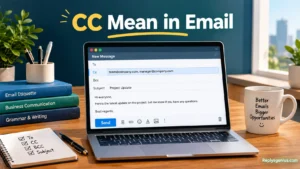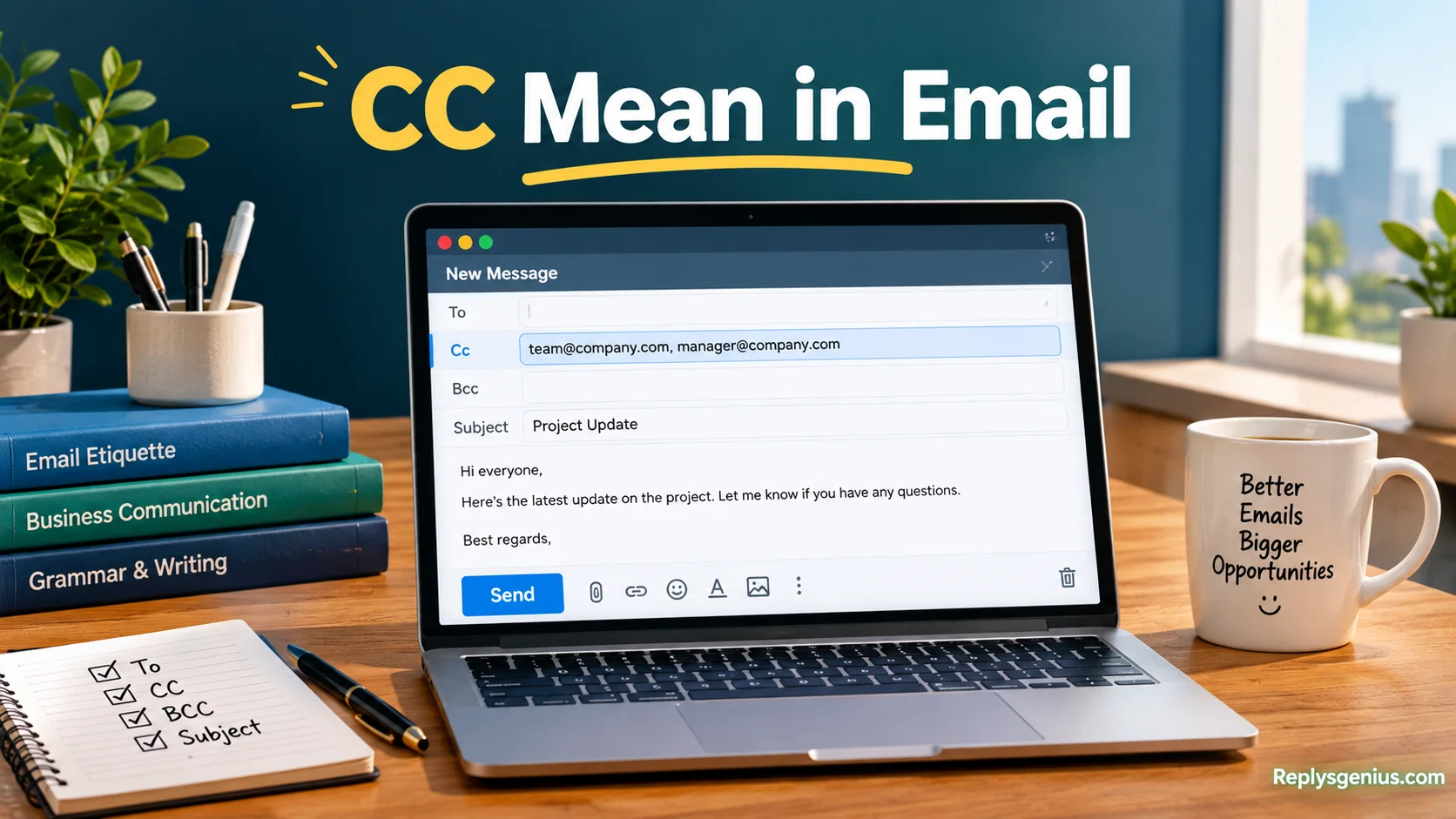
In professional communication, CC Mean in Email explains how primary recipients can respond or take action while others stay informed, such as a boss, teacher, or team member. A clear conversation builds transparency, keeps teams aligned, and improves communication across workplaces, schools, and personal messages. When typing an email, focus on the main audience, use a suitable greeting, and remember that every cc’d person can see the message and email thread. This keeps information visible but can also prevent confusion, awkward replies, and miscommunication when CC is used properly.
When you compare CC with BCC, the difference mainly involves visibility and recipient privacy. CC lets recipients see others, supporting open email etiquette, while BCC hides hidden addresses from other people. When sending messages to many people, BCC may reduce inbox clutter, while CC can support useful communication flows. In the digital world, these tools require responsibility, writing skills, understanding, and practical skills for complete confidence. Knowing the right use cases, privacy needs, and email meaning helps you choose between visible information sharing and hidden recipients without creating unnecessary replies or filling inboxes.
What Does CC Mean in Email?
CC in email means “carbon copy.” It lets you send the same message to additional recipients who should usually be aware of the conversation.
The term comes from carbon paper, which people once used to create duplicate copies of written documents. Email doesn’t use carbon paper, of course. The terminology simply stayed with us as electronic communication replaced many paper-based processes.
When you add an address to CC, that person normally receives the message just like the primary recipient. People listed in the To and CC fields can generally see the other visible recipients’ addresses.
Consider this example:
| Email field | Recipient | Purpose |
| To | Alex | Complete the requested task |
| CC | Maria | Stay informed about the task |
| CC | David | Monitor the project update |
Here, Alex is the main person being contacted. Maria and David receive copies because the information matters to them.
The key idea is awareness rather than automatic responsibility. A CC recipient may need to read the message, but the sender shouldn’t assume that person will complete a task unless the email clearly says so.
What Does CC Stand For?
CC stands for “carbon copy.” The expression comes from an older method of copying documents with carbon paper.
Before digital documents became common, someone could place a sheet of carbon paper between two pieces of paper. Writing on the top sheet would transfer a duplicate onto the sheet underneath.
Email adopted the language even though the technology works completely differently today.
The term CC now has a practical meaning in digital communication:
CC = Send another visible recipient a copy for awareness or information.
That’s why you’ll see a CC option in services such as Gmail, Outlook, Apple Mail, and many workplace email platforms.
The technology has changed. The basic communication idea hasn’t.
How Does CC Work in an Email?
Using CC is straightforward. When composing an email, you enter the primary recipient in To and add additional visible recipients in CC.
For example:
To: alex@example.com
CC: maria@example.com
Subject: Friday Project Update
Alex receives the email because the message is directed toward Alex. Maria receives a copy because she’s part of the communication loop.
CC doesn’t create a separate version of the email. The copied recipient receives the same message content, subject, and attachments that are sent with the email.
What CC recipients can usually see
People in the visible recipient fields can generally see:
- The sender
- The subject
- The email content
- The addresses listed in To
- The addresses listed in CC
- Attachments included with the message
They cannot see BCC recipients simply because they’re included in the visible recipient fields.
That distinction becomes important when you’re dealing with customer lists, large groups, or sensitive contact information.
CC vs To: What’s the Difference?
The simplest distinction is this:
To = the person or people the email is primarily directed toward.
CC = people who should receive a copy for awareness.
These aren’t strict technical rules. They’re common communication conventions that help readers understand their role in a conversation.
| Feature | To | CC |
| Main purpose | Direct communication | Keep someone informed |
| Typical expectation | May require action | Usually no direct action |
| Recipient visibility | Visible | Visible |
| Common example | Asking someone to complete a task | Copying a manager on an update |
| Responsibility | Often clearer | Usually informational |
Suppose you’re asking a designer to revise a presentation.
To: Designer
CC: Project Manager
The designer knows the request is directed toward them. The project manager can follow the conversation without becoming the primary recipient.
However, CC doesn’t legally or technically assign responsibility. The actual wording of the email matters.
If the message says:
“Maria, please approve the final version by 3 PM.”
Maria may need to act even if she’s in CC. Recipient fields provide context, but clear language removes ambiguity.
CC vs BCC: What’s the Difference?
CC and BCC both send copies of an email, but they differ mainly in recipient visibility.
BCC means blind carbon copy.
When someone is placed in BCC, their address isn’t normally visible to the other recipients.
| Feature | CC | BCC |
| Full meaning | Carbon Copy | Blind Carbon Copy |
| Recipient visibility | Visible | Hidden |
| Main purpose | Keep people informed | Protect recipient visibility or send privately |
| Other recipients see the address? | Generally yes | No |
| Typical use | Internal project updates | Mailing unrelated recipients privately |
For example, suppose a company needs to email 100 customers individually without exposing their addresses to one another. Using BCC can help protect that recipient information.
By contrast, if five members of the same project team need to know who’s included, CC may be appropriate.
A simple way to remember it
To: Who needs to deal with this?
CC: Who needs to know about this?
BCC: Who needs to receive this without other recipients seeing their address?
That three-part rule covers many everyday email situations.
When Should You Use CC in an Email?
CC works best when another person genuinely benefits from seeing the conversation.
A few common situations include:
- Keeping a manager informed about an important project update
- Including a teammate who needs background information
- Sharing a decision with affected stakeholders
- Documenting communication between relevant team members
- Keeping a client-facing colleague informed
- Providing visibility to someone who may need the information later
- Sharing meeting follow-up information with relevant participants
Imagine you’re working with a vendor on a delivery issue. You contact the vendor directly and copy the purchasing manager.
The vendor is in To because they need to respond. The purchasing manager is in CC because they need visibility into the issue.
That’s a useful CC.
Practical case study
A project coordinator sends this message:
To: Vendor
CC: Purchasing Manager
Subject: Updated Delivery Date
Hi James,
Could you confirm whether the order can arrive by September 28?
I’ve copied Sarah from purchasing so she’s aware of the updated timeline.
Thanks,
Alex
The CC has a clear purpose. Sarah isn’t being asked to solve the problem. She’s simply being kept informed.
When Should You Not Use CC?
CC can become counterproductive when people add recipients automatically.
Before adding someone, ask one simple question:
“Does this person genuinely need this information?”
If the answer is no, leaving them off the email may be more considerate.
Avoid unnecessary CC when:
- The recipient has no connection to the issue.
- The information won’t affect their work.
- You’re copying someone simply out of habit.
- You’re trying to pressure another person.
- The conversation has moved beyond their responsibilities.
- The message contains information that doesn’t concern them.
- A private discussion should remain limited to specific people.
Unnecessary CC creates email overload. One extra message might seem harmless, but repeated unnecessary copies can consume attention throughout the workday.
Good email etiquette isn’t about copying as many people as possible. It’s about including the right people at the right time.
Who Should Go in the To Field and Who Should Go in CC?
Choosing between To and CC becomes much easier when you focus on responsibility.
Use To for people who are directly involved in the request, question, decision, or action.
Use CC for people who need context or visibility but aren’t necessarily expected to act.
Quick decision guide
| Question | Best field |
| Does this person need to take action? | To |
| Does this person need to answer? | To |
| Does this person only need awareness? | CC |
| Does this person need to see the conversation? | CC |
| Should other recipients not see this person’s address? | BCC |
This isn’t an absolute rule. Workplace practices differ, and some organizations use CC differently.
Still, this framework gives readers a useful starting point.
Example
Suppose you’re requesting approval for a marketing campaign.
To: Marketing Director
CC: Campaign Manager
The director may need to approve the campaign. The campaign manager may simply need visibility.
If the campaign manager also needs to provide the final assets, the email should say so clearly rather than relying only on the CC field.
What Happens When You Reply to an Email With CC?
When an email includes CC recipients, you usually have two common response options: Reply and Reply All.
Reply generally sends your response back to the sender.
Reply All sends your response to the sender and the other visible recipients who are included in the conversation.
That distinction matters.
Imagine your manager sends:
To: Alex
CC: Maria, David
If Alex clicks Reply, the response generally goes to the sender.
If Alex clicks Reply All, the response may go to the sender plus Maria and David.
Reply All can be useful when everyone needs the answer. However, it can also create unnecessary messages when only the sender needs a response.
A useful rule
Before clicking Reply All, ask:
“Does every visible recipient need to read my response?”
If not, a direct reply may be cleaner.
Can CC Recipients See Each Other?
Yes, generally. Recipients listed in the To and CC fields can normally see the visible addresses included in the message.
For example:
To: alex@example.com
CC: maria@example.com, david@example.com
Alex, Maria, and David can generally see the visible recipient list.
This differs from BCC.
If David is placed in BCC:
To: alex@example.com
CC: maria@example.com
BCC: david@example.com
Alex and Maria won’t normally see David’s address as a BCC recipient.
That’s why you should think carefully before using CC with people who don’t already have a reason to know one another’s contact information.
Does a CC Recipient Need to Reply?
Not usually.
CC generally tells a recipient, “You should be aware of this conversation.” It doesn’t automatically mean, “You need to respond.”
Still, context matters.
Compare these two messages:
“I’ve copied James for visibility.”
James probably doesn’t need to reply.
Now compare:
“James, please review the attached proposal and send your feedback by Thursday.”
James has a clear action even if he’s listed in CC.
This distinction is important in professional communication because unclear expectations can lead to missed tasks.
If someone needs to do something, state the action directly.
What Does CC Mean in Gmail?
In Gmail, CC has the same basic meaning: carbon copy.
When composing a message, Gmail provides options for To, Cc, and Bcc recipients.
A typical message might look like this:
To: client@example.com
Cc: manager@example.com
Bcc: archive@example.com
The client receives the primary message. The manager receives a visible copy. The BCC recipient receives the email without appearing in the visible recipient list.
Gmail’s interface may change over time, but the underlying meaning of CC remains consistent.
When using Gmail professionally, pay attention to the recipient fields before clicking Send. A quick review can prevent accidental disclosure or unnecessary copies.
What Does CC Mean in Outlook?
Microsoft Outlook uses CC in the same general way as other major email services.
You can add people to the Cc field when composing an email. Those recipients receive a copy and can normally see the other visible recipients.
For example:
To: Client
Cc: Account Manager
The client is the primary contact. The account manager stays informed.
Outlook also supports Bcc, which is useful when recipient addresses shouldn’t be exposed to other recipients.
The important point isn’t which email app you use. CC follows the same communication convention across common email platforms.
Read More: RCS Message Mean in Text: What RCS Means?
CC in Professional Emails
In professional communication, CC often helps maintain visibility and context.
Managers may be copied on project updates. Team members may be copied on decisions that affect their work. Client-facing staff may be copied when another colleague needs to know what was promised.
However, professional CC etiquette requires judgment.
Copying someone unnecessarily can make them feel responsible for an issue they don’t own. It can also bury important messages under routine notifications.
Good professional CC habits
- Copy people who genuinely need the information.
- Explain why someone is copied when the reason isn’t obvious.
- Put the main action recipient in To.
- Remove people from threads when their involvement ends.
- Avoid using CC as a threat or pressure tactic.
- Use BCC when recipient privacy requires it.
- Keep the message focused.
A short explanation can make CC much clearer:
“I’ve copied Sarah so she has the latest project timeline.”
That’s better than silently adding Sarah and leaving her to guess why she’s involved.
CC in Business Communication
Businesses use CC for many practical purposes.
Project updates
A project lead might send an update to the person handling the next task while copying senior stakeholders.
Client communication
A customer representative might communicate directly with a client while copying an internal specialist.
Approvals
An employee might send a request to an approving manager while copying the colleague responsible for implementation.
Meeting follow-ups
A meeting organizer might send action items to the people responsible for tasks while copying other participants for awareness.
Vendor communication
A procurement employee might contact a supplier while copying finance or operations staff who need visibility.
The common thread is relevance.
CC becomes useful when it helps the right people understand what is happening without creating unnecessary noise.
CC Email Etiquette: Best Practices
Good CC etiquette isn’t complicated. A few habits can make a noticeable difference.
Keep the recipient list relevant
Don’t copy someone simply because they were involved in an earlier stage.
If the current message no longer affects them, they may not need another notification.
Make responsibilities obvious
If someone needs to complete a task, say exactly what you expect.
“Please review the attached contract by Friday.”
That sentence creates much less ambiguity than simply adding someone to CC.
Explain unusual CC choices
If a recipient might wonder why they’re included, provide a brief explanation.
“I’m copying Mark because he’ll handle the technical review.”
One sentence can eliminate confusion.
Protect private addresses
Don’t use CC when recipients shouldn’t see one another’s email addresses.
For suitable situations, BCC can prevent unnecessary exposure.
Use Reply All carefully
Reply All is useful when everyone needs the response. Otherwise, it can generate unnecessary messages.
Clean up long conversations
People who no longer need updates don’t necessarily need to remain on every future message.
Keeping threads focused helps everyone manage their inbox.
Common CC Mistakes to Avoid
Even experienced email users can misuse CC.
CCing everyone
A long recipient list doesn’t automatically make communication better. It can make the actual audience unclear.
Using CC instead of assigning responsibility
Putting someone in CC doesn’t clearly tell them what to do.
If action is required, write the request.
Using CC to pressure someone
Copying a supervisor solely to make an employee respond can create unnecessary tension. Professional communication works better when expectations are stated directly.
Exposing unrelated addresses
If recipients don’t need to know one another’s addresses, don’t casually put everyone in CC.
Forgetting Reply All
Replying to everyone can expose information or generate messages that nobody else needs.
Keeping people on unnecessary threads
Once someone’s role ends, continuing to copy them can create avoidable inbox traffic.
CC Email Examples for Different Situations
Real examples make the difference easier to understand.
Workplace update
To: Project Lead
CC: Department Manager
Subject: Website Launch Update
Hi James,
The homepage revisions are complete. The design team will begin testing tomorrow.
I’ve copied Maria so she’s aware of the current launch timeline.
Thanks,
Alex
The project lead receives the update directly. The department manager stays informed.
Client communication
To: Client
CC: Account Manager
Subject: Updated Proposal
Hi Sarah,
Attached is the revised proposal based on your feedback.
I’ve copied David from our account team so he can stay updated.
Best,
Alex
Team decision
To: Operations Lead
CC: Project Team
Subject: Friday Delivery Schedule
Hi Mark,
Could you confirm whether the Friday delivery window works for your team?
I’ve copied the project team so everyone has visibility into the schedule.
Thanks,
Alex
These examples show an important principle: the email itself should explain the roles when necessary.
How to Write an Email With CC
A well-structured CC email doesn’t need to be complicated.
Start with a clear subject line. Then identify the primary recipient and any relevant CC recipients.
A simple structure looks like this:
Subject: Project Timeline Update
To: Person responsible for the action
CC: Person who needs awareness
Hi [Name],
State the reason for the email.
Explain the key information.
Clearly state any required action and deadline.
I’ve copied [Name] so they have visibility into the update.
Thanks,
[Name]
The strongest emails make responsibility obvious.
Instead of writing:
“Please see this.”
Write:
“Please review the attached proposal and confirm whether the pricing is approved by Thursday.”
Specific wording saves time for everyone involved.
CC vs BCC vs To: Quick Comparison
Here’s the simplest reference guide:
| Email field | Meaning | Visibility | Main purpose | Typical expectation |
| To | Primary recipient | Visible | Direct action or communication | May need to respond or act |
| CC | Carbon copy | Visible | Keep someone informed | Usually informational |
| BCC | Blind carbon copy | Hidden | Private recipient visibility | Usually informational |
Think of the three fields as different communication signals.
To points toward responsibility.
CC points toward awareness.
BCC points toward hidden recipient visibility.
These aren’t rigid technical requirements. They’re conventions that help people interpret an email quickly.
Does CC Mean Someone Is Responsible for the Email?
No. Being included in CC doesn’t automatically make someone responsible for the task.
Responsibility depends on the message, workplace expectations, and the person’s role.
Consider this:
To: Sarah
CC: David
Sarah, please finalize the report by Friday.
David, I’ve copied you for visibility.
Sarah has a clear task. David has been informed.
Now imagine:
To: Sarah
CC: David
Please review the report.
The responsibility is less clear.
Who should review it? Sarah? David? Both?
When an email involves multiple people, clear action statements prevent this kind of confusion.
What Does CC Mean in Email Threads?
CC can become especially important in long email conversations.
A thread might begin with three people and gradually expand to ten. As the discussion changes, some recipients may no longer need every message.
For example, a technical specialist might help solve an issue during the first few messages. Once the technical problem is resolved, continuing to copy that person on contract negotiations may not be useful.
Good email management means reviewing the recipient list as the conversation evolves.
When adding someone new, explain why:
“Adding Tom from finance because this question involves the invoice.”
When removing someone, a brief note can also help:
“Removing the design team from this thread since the design review is complete.”
That small amount of context keeps email threads easier to follow.
Is It Professional to CC Someone?
Yes. CC is a normal and widely used professional email practice.
The professionalism comes from how and why you use it, not from the CC field itself.
Appropriate examples include:
- Copying a manager on an important project update
- Copying a colleague who needs context
- Keeping a stakeholder informed about a decision
- Including a specialist who needs to monitor a discussion
- Sharing relevant documentation with affected team members
Less appropriate uses include copying unrelated people or adding senior employees simply to pressure someone.
If the recipient has a legitimate reason to see the message, CC can make communication more transparent and organized.
A Practical CC Email Case Study
Consider a small marketing team preparing a campaign launch.
Emma manages the campaign. Daniel handles design. Priya manages the client relationship.
Emma needs Daniel to make a final design change. Priya should know about the change because it affects the client timeline.
Emma could send:
To: Daniel
CC: Priya
Subject: Final Banner Revision
Hi Daniel,
Could you update the headline on the campaign banner and send the final file by 2 PM today?
I’ve copied Priya because the revision affects the client delivery timeline.
Thanks,
Emma
This email communicates three things clearly:
- Daniel has the task.
- Priya has visibility.
- The reason for the CC is explained.
Now imagine Emma copied five other employees who have nothing to do with the campaign.
That wouldn’t add useful context. It would simply create more email traffic.
The lesson is straightforward: CC should clarify communication, not complicate it.
Quick Facts About CC in Email
- CC means carbon copy.
- CC recipients normally receive the same email content as other recipients.
- People in To and CC can generally see the visible recipient list.
- BCC hides recipients from the other visible recipients.
- CC doesn’t automatically assign a task or responsibility.
- Reply and Reply All can produce different recipient lists.
- Gmail and Outlook both support To, CC, and BCC fields.
- CC is commonly used for visibility, context, and information sharing.
- Unnecessary CC can contribute to inbox clutter.
- Clear wording is more reliable than recipient placement when assigning work.
FAQs
1. What does CC mean in email?
CC means Carbon Copy. It allows you to send a copy of an email to additional recipients who need to stay informed but may not need to respond or take action.
2. What is the difference between CC and BCC?
With CC, all recipients can see who else received the email. BCC hides the email addresses of other recipients, making it useful when privacy is important.
3. When should I use CC in an email?
Use CC when someone needs to be informed about a conversation but is not the primary recipient. It is common in professional communication, workplaces, schools, and team discussions.
4. Can people in CC see each other?
Yes. People included in the CC field can generally see the other visible recipients listed in the email. This provides transparency and helps everyone understand who is included in the conversation.
5. Should a person in CC reply to the email?
Usually, a person in CC does not need to reply unless they have relevant information or are asked to take action. Keeping unnecessary people out of replies can help reduce inbox clutter and unnecessary messages.
Conclusion
Understanding CC Mean in Email makes everyday email communication clearer and more organized. CC, or Carbon Copy, is mainly used to keep additional recipients informed while maintaining visibility and transparency. It can be especially useful in professional communication, where a boss, teacher, colleague, or team member may need to follow a conversation without becoming the main person responsible for a response. Using the CC field correctly also supports better email etiquette, clearer communication, and fewer misunderstandings.
The main difference between CC and BCC is visibility and privacy. Use CC when recipients can openly see who is included, and choose BCC when hidden recipients or recipient privacy are necessary. By understanding these simple email features, you can communicate more confidently, avoid confusion, reduce unnecessary replies, and keep your inboxes more organized.