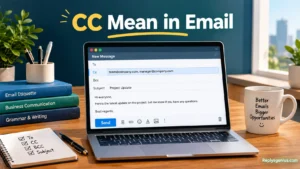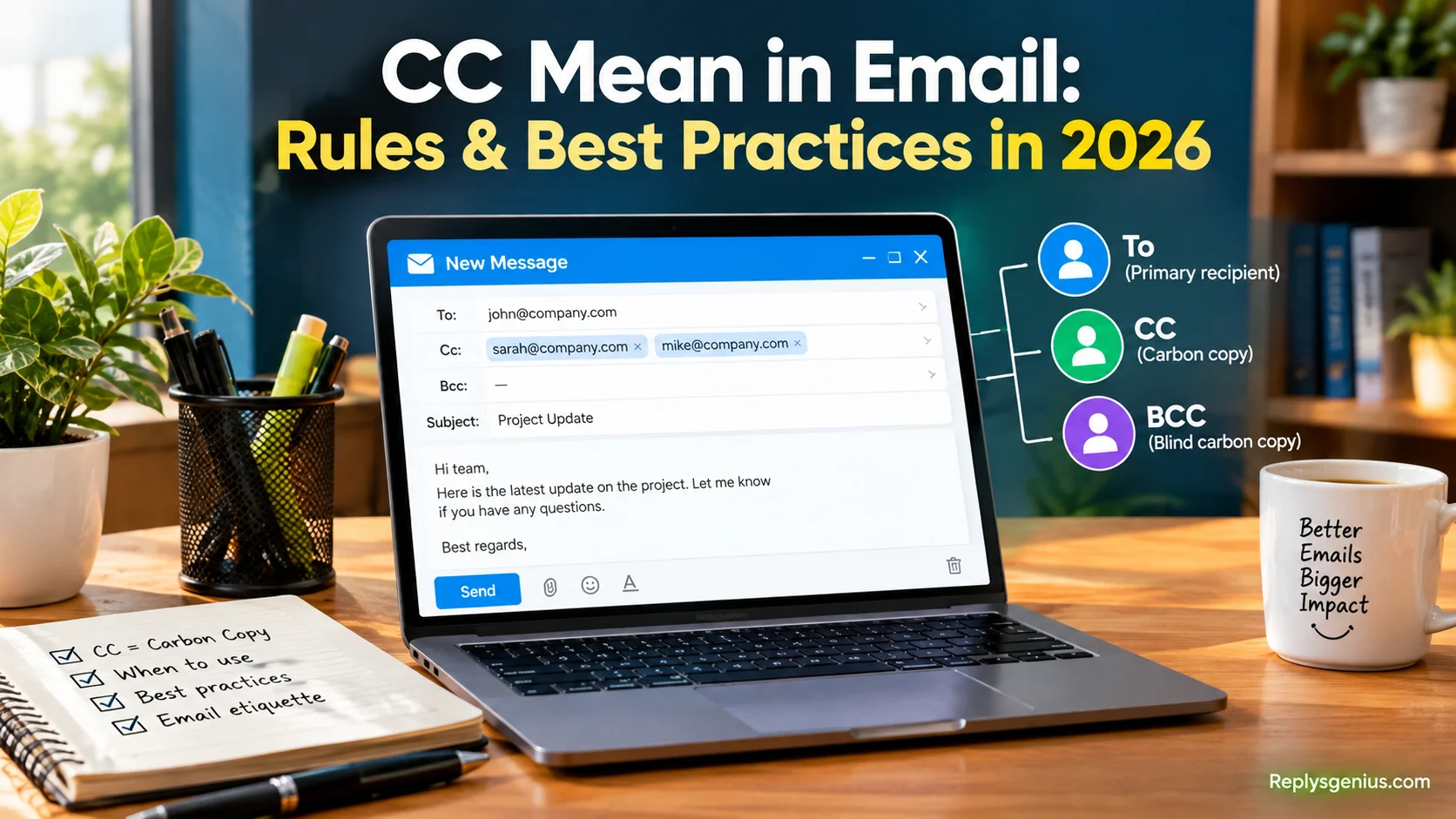
CC Mean in Email: Rules & Best Practices in 2026 explains how to use Cc, or Carbon Copy, when sending a message to additional recipients who need visibility but are not the main recipient. In the To field, I usually place people responsible for action, while cc’d recipients remain informed about the conversation without needing to respond. This approach helps teams maintain transparency, keep the right people aligned, and improve professional communication. A clear greeting should focus on the primary recipients and main audience, rather than everyone copied into the email.
The main difference between CC and BCC is recipient visibility. CC creates a visible copy, allowing everyone included to see each other, while BCC, or Blind Carbon Copy, keeps recipients hidden from everyone else. When an email address should not be revealed, Bcc provides recipient privacy, particularly when emailing large groups, contacting customers, or working with external partners. For a project update, a manager may belong in CC when visibility matters, while a customer list may need BCC to protect privacy and avoid unnecessary inbox clutter or unnecessary inbox noise.
Email is among the most widely used communication tools in personal settings and professional settings, so using these fields thoughtfully matters. cc means in email that someone receives visibility, but careless use can cause unnecessary replies, confusion, dilute accountability, or make emails appear unprofessional. I have found that learning these best practices, examples, and email features builds a useful foundational email skill and greater complete confidence. Careless copying can create embarrassing Reply All chains or mistakes that accidentally expose sensitive information. The practice began with traditional forms of office communication, where office assistants could type correspondence on carbon-backed paper using a typewriter to create a literal carbon copy.
1. What Does CC Mean in Email?
CC stands for Carbon Copy and comes from the traditional practice of making duplicate paper copies of documents. In modern email, adding someone to the CC field sends them a visible copy of the message while showing the other recipients who received it. It is mainly used to keep people informed without making them the primary person responsible for responding.
When to use
Use CC when someone needs to stay informed about an email conversation but doesn’t need to lead the discussion.
When not to use
Don’t CC people simply because you want to make an email look more official or important.
Example
To: Sarah CC: Mark Subject: Project Update
“Hi Sarah, here is the latest project update. I’ve copied Mark so he can stay informed.”
2. CC vs. To: What Is the Difference?
The To field generally identifies the people expected to read, respond, or take action. The CC field, by contrast, identifies people who should know about the conversation but usually don’t have a direct task. Understanding this difference helps recipients quickly understand their role in the discussion and prevents unnecessary confusion.
When to use
Put someone in To when their response or action is important.
When not to use
Don’t place someone in CC when you’re actually waiting for them to complete a task.
Example
To: Team Manager CC: Finance Team
The manager is asked to approve the request, while Finance is simply kept informed.
3. When Should You CC Someone?
You should CC someone when their awareness could be useful to the conversation. For example, you might include a manager, colleague, client representative, or project stakeholder who needs visibility but doesn’t need to respond. The goal is simple: share relevant information without creating unnecessary email traffic.
When to use
CC people who have a legitimate reason to know about the message.
When not to use
Avoid CC when the information has no practical value for the recipient.
Example
A project coordinator emails a designer about a deadline and CCs the project manager for visibility.
4. When Should You Not CC Someone?
CC can become distracting when too many people are included. Every additional recipient may receive notifications, spend time reading the message, or feel pressured to follow a conversation. Before adding someone, ask whether the information is genuinely relevant to them. If the answer is no, leaving them off the email is usually better.
When to use
Use CC when the recipient’s awareness serves a clear communication purpose.
When not to use
Don’t CC someone just to cover yourself, create pressure, or show that management is included.
Example
Instead of CCing the entire department about a minor scheduling question, contact the relevant coworker directly.
5. What Is the Purpose of CC in Professional Email?
In professional communication, CC helps create visibility and transparency. It allows managers, coworkers, clients, and stakeholders to remain aware of important developments without becoming active participants. Used thoughtfully, CC can reduce the need for separate updates and keep the right people connected to an ongoing project.
When to use
Use CC for project updates, approvals, decisions, and relevant workplace communication.
When not to use
Don’t use CC as a substitute for a clearly assigned responsibility.
Example
A team member sends a completed report to a supervisor and CCs the colleague who helped prepare it.
6. What Does CC Mean for the Person Receiving It?
Being placed in CC usually means “this information is relevant to you, but no direct action is expected.” However, recipients should still read the message because the information may affect their work. The exact expectation can vary by workplace, so a clear email can remove uncertainty.
When to use
CC someone when awareness is the main purpose.
When not to use
Don’t assume that a CC recipient will automatically handle a task.
Example
“Alex, I’m copying you for visibility. No action is needed at this time.”
7. CC Email Etiquette
Good CC etiquette means keeping your recipient list relevant, transparent, and purposeful. Before sending an email, check every address and consider whether each person needs the information. A short explanation can also help recipients understand why they were included, especially when the conversation involves multiple teams or departments.
When to use
Use CC as part of a clear and intentional communication strategy.
When not to use
Avoid adding large groups without a specific reason.
Example
“CC’ing the operations team so everyone has the updated delivery schedule.”
8. How Many People Should You CC?
There is no universal maximum number of CC recipients. The right number depends on the subject, organization, and importance of the information. A project involving several departments may reasonably include many people, while a simple question might need only one or two recipients. The best rule is to include only relevant people.
When to use
CC everyone who reasonably needs visibility.
When not to use
Don’t copy an entire department when only one person needs the information.
Example
A company-wide policy announcement may have many recipients, while a one-on-one task update usually doesn’t.
9. CC vs. BCC
CC and BCC both send copies of an email, but they work differently. People in CC can normally see the other CC recipients, while people in BCC are hidden from the other recipients. BCC is therefore useful in situations where recipient privacy matters, such as sending a message to a large group of unrelated contacts.
When to use
Use CC when recipient visibility is appropriate. Use BCC when addresses should remain private.
When not to use
Don’t use CC when exposing recipients’ email addresses would create a privacy concern.
Example
For a newsletter sent to unrelated customers, BCC may be more appropriate than CC.
10. Should You CC Your Manager?
CCing a manager can be appropriate when they genuinely need visibility, approval, or context. However, copying a manager into every disagreement or routine conversation can create unnecessary pressure. Before doing it, consider whether the manager needs to know now or whether the issue can be resolved directly between the people involved.
When to use
CC your manager for important decisions, approvals, or meaningful project updates.
When not to use
Don’t CC a manager merely to intimidate another employee.
Example
“CC’ing Maria for visibility since this change affects the project deadline.”
11. CC in Workplace Communication
Workplace email often involves several people with different responsibilities. CC helps maintain shared awareness without requiring every person to participate. When used correctly, it supports teamwork and keeps important decisions documented for those who may need the information later.
When to use
Use CC for relevant coworkers, supervisors, and stakeholders.
When not to use
Avoid unnecessary CC chains that make routine communication difficult to follow.
Example
A team leader sends meeting decisions to the project group and CCs the department manager.
12. CC in Business Email
In business communication, CC can help maintain a professional record of important discussions. It may be useful when communicating with clients, suppliers, partners, or internal teams. Still, business emails should remain focused because unnecessary recipients can make messages feel complicated or overly formal.
When to use
CC business stakeholders who need awareness of the communication.
When not to use
Don’t add external contacts who have no connection to the subject.
Example
A purchasing employee emails a supplier and CCs the internal procurement manager.
Read More: 25 CC Mean in Email: Rules & Best Practices in 2026 (With Examples)
13. CC in Client Communication
When working with clients, CC can help ensure that the right internal team members stay informed. It can also show that communication is being handled transparently. However, businesses should carefully consider whether internal discussions are appropriate for external recipients before sending the message.
When to use
CC internal employees who support the client’s project.
When not to use
Don’t expose private internal comments, discussions, or sensitive information to clients.
Example
“Hi James, attached is the revised proposal. I’ve CC’d our design lead for visibility.”
14. CC in Team Projects
Project teams often depend on information moving between different roles. CC can keep designers, developers, managers, clients, and coordinators aware of important updates. However, project communication works best when the email clearly states who needs to act and who is simply being informed.
When to use
CC stakeholders who need project visibility.
When not to use
Don’t copy every project member on every minor message.
Example
“Please review the attached timeline by Friday. I’ve CC’d the project coordinator for visibility.”
15. CC for Keeping Someone Informed
One of the most common reasons to CC someone is simply to keep them informed. This can be especially useful when a decision affects another person or department. A short phrase such as “copying you for awareness” makes the purpose immediately clear and prevents the recipient from wondering whether they must respond.
When to use
Use CC when awareness is the main objective.
When not to use
Don’t CC someone if the information has no connection to their responsibilities.
Example
“CC’ing David for awareness since this update affects the next phase of his work.”
16. CC for Documentation and Records
CC can help maintain a communication trail for people who may later need context. For example, a project manager might keep a stakeholder informed about a decision through CC. However, email should not be treated as the only record for every type of business information. Important records should follow your organization’s normal documentation practices.
When to use
CC people who may reasonably need the communication for context.
When not to use
Don’t copy people simply to create a large paper trail.
Example
“CC’ing the account manager so they have a record of the agreed delivery date.”
17. CC for Project Updates
Project updates often involve multiple stakeholders who don’t need to respond to every message. CC provides a simple way to distribute progress information without assigning unnecessary tasks. A useful update should identify what changed, what happens next, and who is responsible for the next action.
When to use
CC stakeholders who need regular project visibility.
When not to use
Avoid CCing people who have no role in the project.
Example
“Phase one is complete, and testing begins Monday. CC’ing the product team for visibility.”
18. CC for Introductions
CC can make professional introductions easier by placing the relevant people in the same email. The introduction should clearly explain who each person is and why they are being connected. This prevents confusion and gives both recipients enough context to continue the conversation comfortably.
When to use
Use CC when introducing two people who have a clear professional reason to connect.
When not to use
Don’t introduce unrelated people without explaining the purpose.
Example
“John, meet Priya, who leads our customer support team. Priya, John is managing the new account.”
19. CC for Approvals
When an email requires approval, the person responsible for approving should generally be placed in the To field, not merely CC. Other stakeholders who need to know about the approval can be copied. This distinction makes responsibility clear and reduces the chance that an important request gets overlooked.
When to use
CC people who need awareness of an approval decision.
When not to use
Don’t put the actual decision-maker in CC if you need them to respond.
Example
To: Department Manager CC: Finance Coordinator
“Please approve the attached budget. Finance is copied for visibility.”
20. CC and Email Privacy
Email privacy matters whenever multiple recipients are involved. CC makes recipient addresses visible to the other recipients, so you should consider whether everyone has permission or a legitimate reason to see those addresses. For sensitive group communication, a privacy-conscious approach may require BCC or another communication method.
When to use
Use CC when recipient visibility is appropriate.
When not to use
Don’t expose personal or confidential contact information unnecessarily.
Example
For unrelated customers receiving the same announcement, use BCC rather than CC.
21. Common CC Mistakes
Common mistakes include over-CCing, copying senior employees unnecessarily, hiding responsibilities, and including people who don’t need the information. Another frequent mistake is failing to distinguish between the To and CC fields. A thoughtful recipient list can make an email easier to understand and significantly reduce unnecessary messages.
When to use
Use CC when there is a clear communication reason.
When not to use
Don’t CC people to create pressure, prove a point, or overwhelm a recipient.
Example
Instead of CCing five managers during a minor disagreement, first try to resolve the issue directly.
22. Should CC Recipients Reply?
A CC recipient normally isn’t expected to reply unless the message specifically asks for their input. If you need a response from someone, placing them in the To field and clearly stating the requested action is usually better. Clear expectations prevent recipients from guessing whether their response is required.
When to use
CC someone when they mainly need information.
When not to use
Don’t CC someone when you need a timely response from them.
Example
“Please approve this request by Thursday.” The approver should normally be in To, not just CC.
23. How to Write a Clear CC Email
A clear CC email should have a useful subject line, a concise message, and an obvious purpose. If several people are included, explain why when necessary. Also identify specific actions, deadlines, and responsibilities so that everyone knows what is expected from them.
When to use
Use a brief explanation when the reason for CC isn’t obvious.
When not to use
Don’t write lengthy explanations just because several people are copied.
Example
“Hi Team, the schedule has changed to Friday. I’ve CC’d the operations group so everyone has the updated information.”
24. CC Best Practices in 2026
Modern email habits emphasize clarity, relevance, privacy, and efficiency. In 2026, people often manage crowded inboxes across multiple devices, making unnecessary CCs more frustrating. A good practice is to review every recipient before sending, protect private information, and make the required action obvious.
When to use
Use CC selectively for transparency and useful information sharing.
When not to use
Avoid unnecessary group emails, unclear responsibilities, and excessive reply-all conversations.
Example
Before sending, ask: “Does every person in CC need this information?”
25. CC Email Example: A Complete Professional Message
A complete CC email should make the roles of each recipient easy to understand. The primary recipient should know what action is required, while the CC recipients should understand that they are being kept informed. This simple structure makes professional communication more efficient and reduces unnecessary follow-up questions.
When to use
Use this structure for workplace updates, requests, approvals, and project communication.
When not to use
Don’t copy people who have no relevant connection to the topic.
Example
To: Project Manager CC: Finance Lead Subject: Updated Project Budget
“Hi Alex, Please review and approve the attached updated project budget by Thursday. I’ve CC’d Sarah from Finance so she can stay informed about the changes. Thank you.”
FAQs
1. What does CC mean in email?
CC means Carbon Copy. It is used when you want to send a copy of an email to additional recipients who should stay informed but are not necessarily expected to take action.
2. What is the difference between CC and BCC?
The main difference is visibility. CC lets recipients see each other, while BCC keeps recipients hidden. Use CC for transparency and BCC for privacy.
3. When should I use CC?
Use CC when someone needs visibility into a conversation but does not need to respond or perform an action. It is especially useful for professional communication, team updates, and keeping the right people informed.
4. When should I use BCC instead of CC?
Use BCC when recipient privacy matters, such as when emailing large groups or when recipients should not see each other’s email addresses. This can also help protect a customer list.
5. Can using CC incorrectly cause problems?
Yes. Careless use of CC can create unnecessary replies, confusing Reply All chains, inbox noise, or even accidentally expose sensitive information. Using the correct field helps maintain clear email etiquette.
Conclusion
Understanding CC Mean in Email: Rules & Best Practices in 2026 makes everyday email communication clearer and more professional. CC is mainly about visibility, while BCC focuses on privacy and discretion. When you place people in the correct field, you can keep teams aligned, reduce unnecessary inbox clutter, and ensure the right recipients stay informed without creating confusion.
From my experience, the best approach is simple: use To for people who need to take action, CC for people who need visibility, and BCC when privacy is important. Following these best practices helps prevent mistakes, protects sensitive information, and makes your messages easier to understand in modern professional email environments.