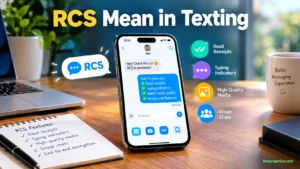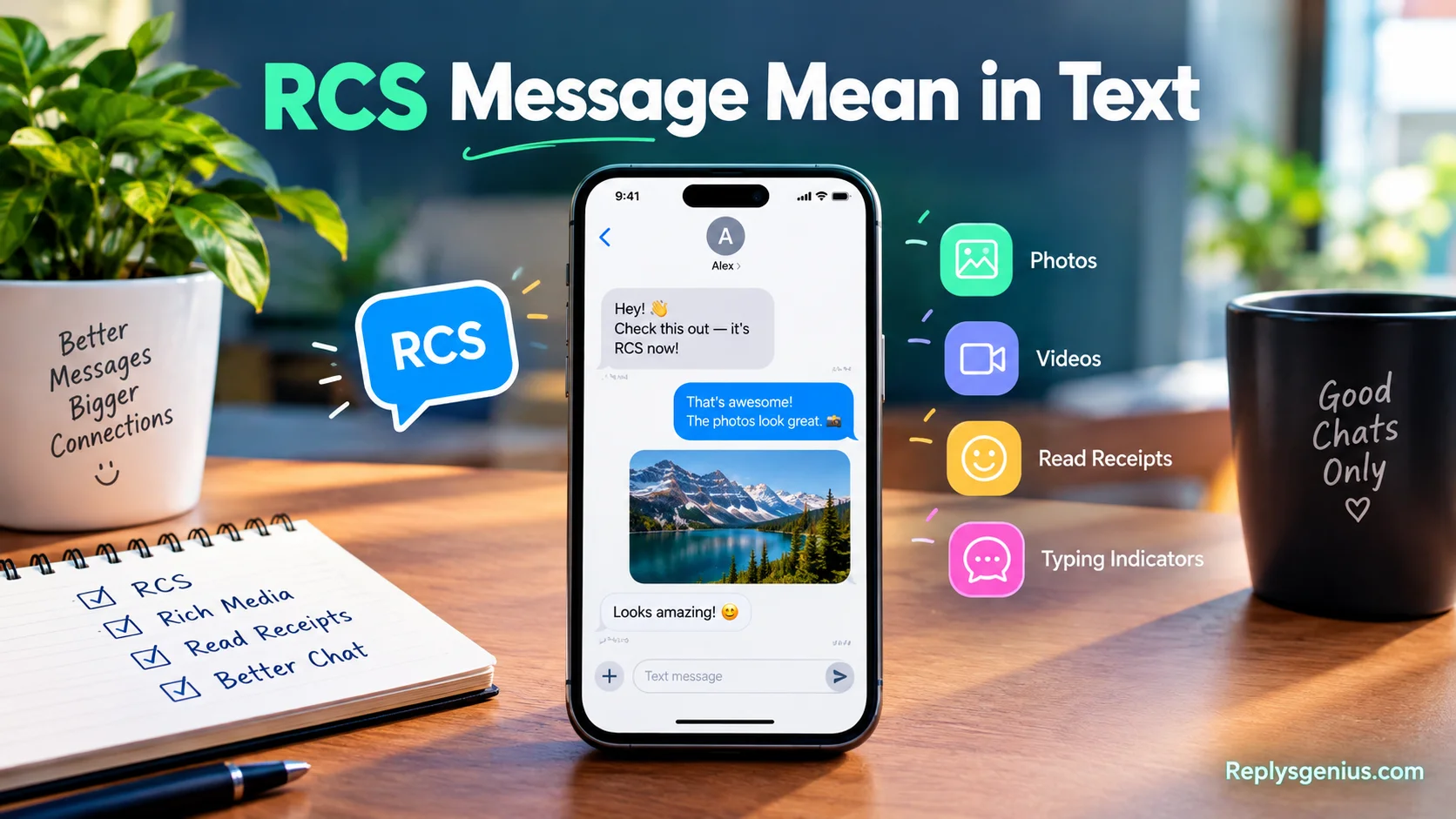
When people search RCS Message Mean in Text, they usually want a simple explanation of why modern messages offer more than ordinary SMS and MMS. RCS means Rich Communication Services, a messaging protocol that creates richer experiences and interactive experiences through features such as read receipts, typing indicators, reactions, and better media. Instead of seeing plain texts, users can enjoy a more complete native messaging experience similar to popular messaging apps such as WhatsApp and Facebook Messenger.
RCS messaging was developed with the Global System for Mobile Communications Association (GSMA), a global organization representing mobile network operators. It brings familiar features into messaging without requiring users to log in to the same app. Depending on the devices, Google Messages, and available support, users may need to enable RCS before RCS chat can work. This makes communication more convenient because people can send and receive higher-quality media, including high-res photos, while enjoying group chats and other modern tools.
From a practical perspective, RCS works as an upgrade to traditional text messaging, using the internet, mobile data, and carrier networks differently from older services. The nonprofit GSMA was originally developed around the goal to replace SMS, while Google later had a major role in its adoption and standardization. RCS is available across supported Android and Apple devices, with capabilities such as high-resolution media sharing and end-to-end encryption, while services from Apple, iMessage, and Meta continue to shape modern messaging. It also helps address the familiar problem of a long SMS message being split into multiple smaller messages that arrive in the wrong order, as well as poor image quality.
What Does RCS Message Mean in Text?
RCS message means a message sent using Rich Communication Services. It provides a richer texting experience than traditional SMS by supporting features that make conversations feel more like modern internet messaging.
For example, when two compatible users chat through RCS, they may see a typing indicator while the other person is composing a reply. They may also receive read receipts, send better-quality media, react to messages, and participate in enhanced group chats.
In simple terms:
RCS = Rich Communication Services, a modern messaging standard that expands traditional texting with richer communication features.
The exact features available can vary. Your phone, messaging app, operating system, carrier, region, and recipient’s setup can all affect how RCS works.
So if your messaging app says “RCS message” instead of “SMS,” it doesn’t indicate a secret meaning or special type of text. It identifies the messaging technology being used.
What Is RCS Messaging?
RCS messaging is a messaging standard designed to extend the capabilities of SMS and MMS. The standard has been developed through the mobile communications industry and is associated with the GSMA, the organization representing mobile operators and companies across the mobile ecosystem.
Traditional SMS was designed primarily for short text messages. MMS later added multimedia capabilities. RCS goes further by supporting a broader set of modern messaging functions.
Depending on the implementation, RCS can provide:
- Typing indicators
- Read receipts
- Delivery information
- Higher-quality photo and video sharing
- File sharing
- Message reactions
- Enhanced group conversations
- Richer media and messaging interactions
One major difference is the way RCS handles messages. Rather than relying solely on the traditional SMS channel, RCS generally operates through an internet data connection.
That means an RCS conversation can behave more like other internet-based messaging services while remaining integrated into a phone’s regular messaging experience.
RCS Message Meaning in Simple Words
If technical terminology makes RCS sound complicated, the simplest explanation is this:
An RCS message is an internet-based text message with extra features.
Imagine ordinary SMS as a basic envelope. You can put a short written note inside it. RCS is more like a modern digital package. It can carry text while also supporting richer media, status information, and interactive messaging features.
For example:
SMS:
“Are you coming tonight?”
RCS:
“Are you coming tonight?” + typing indicators + read status + richer media + supported reactions
The words themselves may look identical. The underlying messaging system is different.
RCS vs SMS: What’s the Difference?
The biggest difference between RCS and SMS is the range of features they support.
SMS has been around for decades and was designed for basic mobile text messaging. RCS provides a more modern framework for conversations that can include richer content and messaging signals.
| Feature | RCS | SMS |
| Full name | Rich Communication Services | Short Message Service |
| Internet connection | Generally used | Not required |
| Typing indicators | Supported | Not native |
| Read receipts | Supported | Not native |
| Rich media | Supported | Limited |
| File sharing | Supported | Very limited |
| Message reactions | Supported in compatible implementations | Not native |
| Enhanced group chats | Supported | More limited |
| Delivery status | Supported | Basic delivery reporting can vary |
| Fallback | May use SMS/MMS when available | N/A |
This doesn’t mean every RCS conversation automatically includes every feature. Implementation matters.
For instance, a particular feature may depend on the messaging app or the devices involved. That’s why two RCS users can sometimes have slightly different experiences.
RCS vs MMS: What’s the Difference?
MMS stands for Multimedia Messaging Service. It expanded traditional SMS by allowing multimedia content such as pictures and other media through carrier messaging systems.
RCS was designed for a much richer messaging experience.
| RCS | MMS |
| Modern rich messaging standard | Older multimedia messaging technology |
| Uses internet connectivity | Uses carrier messaging infrastructure |
| Typing indicators | Not a native feature |
| Read receipts | Not a native feature |
| Rich group messaging | More advanced capabilities |
| Higher-quality media support | More limited |
| Interactive features | More extensive |
| File sharing | Supported in compatible implementations |
MMS still matters because phones can use it when RCS isn’t available. In some circumstances, a conversation can therefore move between RCS, SMS, and MMS.
That’s one reason users sometimes see different labels inside the same messaging app.
How Does an RCS Message Work?
The process looks simple from the user’s perspective, although several systems work behind the scenes.
You type a message → Your app checks RCS availability → The message uses RCS when available → The recipient receives it → Delivery/read information can update
Several conditions can affect that process.
First, your messaging application needs RCS support. Your device and software must also support the required functionality.
Second, the RCS service needs to be available for the conversation. The recipient’s device and messaging setup also matter.
Finally, an internet connection is generally involved. Depending on the service and configuration, the conversation can sometimes fall back to SMS or MMS when RCS isn’t available.
This explains why a message doesn’t always remain an RCS message.
What Features Does RCS Messaging Support?
RCS isn’t simply a different label for SMS. Its main purpose is to provide capabilities associated with modern messaging.
RCS Read Receipts
A read receipt can tell you that the recipient has opened or read a message when the relevant feature is supported and enabled.
That’s different from merely knowing that a message was sent.
For example:
- Sent: The messaging system accepted the message for sending.
- Delivered: The message reached the recipient’s messaging service or device according to the system’s status.
- Read: The recipient opened or read the message when read receipts are enabled.
The exact icons and wording depend on the messaging application.
RCS Typing Indicators
Typing indicators let you know that another person is composing a response.
You might send:
“Did you finish the report?”
Then a typing indicator appears while the other person starts writing.
This tiny feature changes the feel of a conversation because you don’t have to wonder whether the other person has started responding.
Higher-Quality Media
RCS supports richer media sharing than traditional SMS.
This can make a noticeable difference when sending photos and videos, although the exact quality and limits depend on the implementation.
Traditional MMS has historically imposed practical limitations on multimedia sharing. RCS can provide a more modern approach to sending media through a data connection.
File Sharing
Compatible RCS implementations can support file sharing, giving users more flexibility than basic SMS.
The exact file types, size limits, and capabilities depend on the messaging service.
Message Reactions
RCS can support message reactions in compatible messaging experiences.
Instead of typing:
“Haha, that’s funny 😂”
a user may be able to react directly to the message.
This makes conversations more compact and interactive.
Group Chats
RCS also supports richer group conversations than traditional SMS/MMS.
Depending on the implementation, users can get features such as:
- Better group management
- Richer media sharing
- Read and typing indicators
- Message reactions
- More modern conversation controls
Again, feature availability isn’t universal across every RCS setup.
What Does RCS Message Mean on Android?
On Android, RCS messaging is strongly associated with Google Messages, although RCS is a standard rather than a Google-only technology.
If RCS is available and enabled, a compatible conversation in Google Messages can use RCS features instead of traditional SMS/MMS.
Depending on the software version and device, you may find RCS-related controls under messaging settings. The terminology can vary. Some versions have historically used labels such as Chat features, while newer interfaces may use RCS chats or similar wording.
When RCS works, the conversation can offer features such as:
- Read receipts
- Typing indicators
- Richer media
- Message reactions
- Enhanced group messaging
If the recipient doesn’t support RCS or the service isn’t available, the app may use another messaging method.
That’s why the message field or conversation information can change from RCS to SMS/MMS.
What Does RCS Message Mean on iPhone?
RCS support also exists on iPhone, but it isn’t the same thing as Apple’s iMessage system.
Apple added RCS support with iOS 18, allowing supported iPhones to use RCS when communicating with compatible devices and networks.
However, availability depends on factors such as:
- iPhone software version
- Carrier support
- Region
- Network configuration
- Recipient compatibility
So an iPhone can now participate in RCS conversations without turning RCS into iMessage.
This distinction matters because people often assume that RCS and iMessage are competing names for the same technology. They aren’t.
RCS is an industry messaging standard. iMessage is Apple’s own messaging service.
RCS vs iMessage: Are They the Same?
No. RCS and iMessage are separate messaging systems.
They can provide overlapping features, including typing indicators, read receipts, rich media, and other modern messaging capabilities. However, they use different technologies and ecosystems.
| Category | RCS | iMessage |
| Meaning | Rich Communication Services | Apple’s messaging service |
| Developed as | Industry messaging standard | Apple messaging system |
| Android support | Yes | No |
| iPhone support | Supported on compatible versions/networks | Yes |
| Rich messaging | Yes | Yes |
| Read receipts | Supported | Supported |
| Typing indicators | Supported | Supported |
| Ecosystem | Cross-platform | Apple ecosystem |
The practical distinction is straightforward: RCS is designed for broader cross-platform messaging, while iMessage remains Apple’s proprietary messaging service.
Why Does My Phone Say “RCS Message”?
Seeing “RCS message” usually means the messaging app has identified the conversation as an RCS conversation.
Common reasons include:
- RCS is enabled on your device.
- Your messaging app supports RCS.
- The recipient supports RCS.
- Your carrier or service supports RCS.
- Your phone has an internet connection.
- The conversation has established an RCS connection.
For example, suppose two people use compatible devices and messaging services. Both have RCS enabled. When one person sends a message, the app can use RCS rather than sending the message as traditional SMS.
The user doesn’t need to manually rewrite the message. The messaging system handles the technology in the background.
Read More: Contingent Mean in Text: Easy Guide for Beginners?
Why Did My RCS Message Change to SMS?
An RCS conversation can sometimes switch to SMS or MMS.
This doesn’t automatically mean your phone has a serious problem.
Possible causes include:
- RCS isn’t available for the recipient.
- One person disabled RCS.
- Internet connectivity was lost.
- The RCS service is temporarily unavailable.
- Carrier support differs.
- A software or account configuration changed.
- The messaging application uses fallback messaging.
Think of it as taking a different road when the preferred route isn’t available.
If RCS can’t complete the conversation, the messaging system may offer another messaging method.
The exact fallback behavior depends on the messaging app and configuration.
What Do RCS Message Statuses Mean?
RCS can provide more detailed message status information than traditional texting.
| Status | General meaning |
| Sending | The message is still being transmitted |
| Sent | The message has been sent through the messaging system |
| Delivered | The message has reached the recipient according to the service |
| Read | The recipient has opened or read the message when supported |
Don’t confuse delivered with read.
If a message says “delivered,” that doesn’t necessarily mean the recipient has looked at it. A separate read indicator may appear when the relevant settings and implementation support it.
Read receipts can also be disabled, meaning the absence of a read indicator doesn’t necessarily tell you whether someone has seen a message.
Does RCS Use Wi-Fi or Mobile Data?
RCS generally uses an internet connection.
That connection can come from:
- Wi-Fi
- Mobile data
For example, if your phone connects to home Wi-Fi, RCS can use that internet connection. When you leave home and mobile data remains active, RCS can continue working over the cellular data connection.
If the internet connection disappears, your messaging app may be unable to send an RCS message until connectivity returns.
Depending on the app and settings, it may instead offer or use SMS/MMS.
This is one of the clearest differences between RCS and traditional SMS.
Does RCS Cost Money?
RCS messages generally use internet data rather than traditional SMS message credits.
That doesn’t necessarily mean they are completely free in every situation. If you use mobile data, your carrier’s data plan and charges apply according to your plan.
For example:
Wi-Fi: RCS uses the available Wi-Fi internet connection.
Mobile data: RCS uses cellular data and counts toward applicable data usage.
SMS fallback: If the message switches to SMS, normal SMS rules from your carrier may apply.
Therefore, the safest approach is to check your carrier’s current messaging and data terms rather than assuming every message has identical billing treatment.
Is RCS Secure?
Security and privacy deserve a more careful explanation than simply calling RCS “secure.”
RCS implementations can use encryption and other security protections. However, the security properties of an RCS conversation depend on the specific service and implementation.
Google Messages, for example, supports end-to-end encryption for eligible RCS conversations. That doesn’t mean every RCS message across every app, carrier, device, and conversation automatically receives identical protection.
Several factors can matter:
- Messaging application
- Conversation type
- Device compatibility
- Encryption support
- Service configuration
- Group-chat implementation
For privacy-sensitive conversations, check the messaging application’s current security information instead of relying only on the “RCS” label.
Can You Turn RCS Messaging On or Off?
In supported messaging apps, users can generally control RCS through messaging settings.
The exact menu differs by device and software version. A typical process looks like this:
- Open your messaging application.
- Open Settings.
- Look for RCS, RCS chats, or Chat features.
- Check the current connection status.
- Turn the feature on or off if the option is available.
Don’t be surprised if the menu looks different on another phone. Android manufacturers, messaging apps, software versions, and carriers can use different terminology.
What Happens When RCS Is Turned Off?
Turning off RCS can remove features associated with rich messaging.
Depending on your messaging setup, conversations may use SMS or MMS instead.
You may lose access to features such as:
- Typing indicators
- RCS read receipts
- Rich media functionality
- Message reactions
- Enhanced group-chat features
The conversation doesn’t necessarily disappear. Instead, the messaging method can change.
This distinction is useful because turning off RCS isn’t the same as deleting your messages or blocking someone.
Why Is RCS Not Working?
When RCS stops working, start with the basics before changing advanced settings.
Check Your Internet Connection
RCS generally requires internet connectivity. Test your Wi-Fi or mobile data by opening a website or another online service.
If the internet connection doesn’t work, RCS may not work either.
Check RCS Status
Open your messaging app’s settings and look for the RCS or Chat features section.
Check whether the service shows as connected, available, or enabled.
Update Your Messaging App
An outdated messaging application can create compatibility or functionality problems.
Check for available updates through your device’s official app store.
Check Carrier Support
RCS availability can depend on your carrier and region.
If RCS works for one account but not another, carrier configuration can be one possible explanation.
Check the Recipient
The other person’s messaging setup matters too.
If the recipient doesn’t currently support RCS, the conversation may use SMS or MMS instead.
Check Your Phone’s Software
Software updates can affect messaging functionality. If RCS stopped working after a device or account change, review the current software and messaging settings.
Does RCS Work Between Android and iPhone?
RCS can work between compatible Android phones and iPhones, provided the required software, carrier, and regional support are available.
This is an important change because RCS was historically associated mainly with Android messaging experiences.
With supported iPhone software and carrier support, cross-platform conversations can use RCS rather than relying exclusively on SMS/MMS.
However, cross-platform RCS doesn’t make Android and iPhone messaging identical.
Some features can differ based on the implementation. The experience also depends on the messaging applications and network providers involved.
Therefore, if one particular RCS feature works in an Android-to-Android conversation but behaves differently in an Android-to-iPhone conversation, compatibility differences may explain it.
RCS Message vs Normal Text: A Real-Life Example
Consider a simple conversation between two friends.
Alex sends:
“Can you send me the photos from yesterday?”
With traditional SMS, Alex can send the text. If the friends want to exchange large or high-quality media, the experience can become more limited.
With RCS, a compatible conversation can support richer communication.
Alex might send the message and then see a typing indicator when Sam begins replying. Sam can send higher-quality media through the supported messaging system. Alex may later see a read indicator if read receipts are enabled.
The conversation still looks like ordinary texting.
The difference happens underneath the conversation.
That’s why RCS can seem invisible until you notice a feature such as a typing indicator or a message label.
RCS Message Terms You Should Know
Understanding a few common terms makes RCS much easier to follow.
| Term | Meaning |
| RCS | Rich Communication Services |
| SMS | Short Message Service |
| MMS | Multimedia Messaging Service |
| RCS Chat | A conversation using RCS functionality |
| Read Receipt | Indicates that a message has been read when supported |
| Typing Indicator | Shows that someone is composing a message |
| Delivered | Indicates the message reached the recipient according to the service |
| Fallback | Switching to another messaging method such as SMS/MMS |
| Mobile Data | Cellular internet used for RCS when Wi-Fi isn’t available |
These terms often appear together because modern messaging apps can move between different messaging technologies.
Common RCS Message Mistakes and Misunderstandings
Several misconceptions appear frequently when people first encounter RCS.
RCS Doesn’t Mean “Read”
Seeing RCS doesn’t mean someone has read your message.
RCS identifies the messaging technology. Read status is a separate feature.
RCS Isn’t a Slang Term
Unlike abbreviations such as “LOL” or “BRB,” RCS isn’t internet slang.
It is the abbreviation for Rich Communication Services.
RCS Isn’t the Same as iMessage
Both can offer modern messaging features. However, they’re separate systems.
RCS Doesn’t Always Work
RCS availability depends on technical and service conditions. A conversation may switch to SMS or MMS if RCS isn’t available.
RCS Doesn’t Automatically Mean Free
RCS generally uses internet data. Mobile data can still count toward your carrier’s data allowance.
RCS Message Meaning for Students and Beginners
If you’re new to smartphone messaging terminology, remember just three things:
RCS means Rich Communication Services.
It provides richer features than traditional SMS.
It generally uses internet connectivity.
You don’t need to understand the technical infrastructure to use it. Your messaging application handles most of the process automatically.
For everyday texting, the biggest visible differences are usually typing indicators, read receipts, richer media, reactions, and enhanced group chats.
RCS Message Meaning for Android Users
For Android users, RCS can turn the ordinary texting experience into a richer chat environment.
When compatible users have RCS enabled, conversations can include more than plain text. Google Messages is a prominent example of an app that supports RCS functionality.
If RCS isn’t available, the messaging experience can change depending on the circumstances.
That’s why checking the conversation’s current messaging status can help when a feature suddenly disappears.
RCS Message Meaning for iPhone Users
For iPhone users, the key distinction is between RCS and iMessage.
RCS provides a cross-platform messaging standard that can operate between compatible devices. iMessage remains Apple’s own messaging system.
The presence of RCS support doesn’t remove iMessage. Instead, it gives supported iPhones another messaging capability for compatible conversations.
Carrier support remains important, so two iPhone users in different regions can potentially have different RCS availability.
FAQs
1. What does RCS Message Mean in Text?
RCS Message Mean in Text refers to Rich Communication Services, a modern messaging protocol that improves traditional SMS and MMS. It supports features such as read receipts, typing indicators, group chats, and high-quality media sharing.
2. What is the difference between RCS and SMS?
RCS offers more interactive features than traditional SMS. While SMS mainly supports basic text messaging, RCS can provide high-resolution media sharing, read receipts, typing indicators, and richer group chats through an internet-based messaging experience.
3. Does RCS work on Android and Apple devices?
RCS is supported on compatible Android and Apple devices, although the available features can depend on the device, operating system, carrier, and messaging service. On supported devices, users may need to enable RCS to access its features.
4. Does RCS use mobile data?
Yes. RCS messaging can operate through the internet using mobile data or Wi-Fi rather than relying only on traditional SMS or MMS systems. This allows users to share higher-quality media and use more interactive messaging features.
5. Why is RCS useful for businesses?
RCS can help businesses create richer customer conversations through features such as verified business profiles, media sharing, and real-time engagement. These tools can also support mobile marketing and help companies build more interactive communication with customers.
Conclusion
RCS Message Mean in Text is essentially about understanding Rich Communication Services as a modern alternative to basic SMS and MMS. With typing indicators, read receipts, group chats, high-resolution media sharing, and other interactive features, RCS makes everyday mobile communication more similar to the experience people already know from messaging platforms.
As messaging continues to develop, RCS messaging provides a useful bridge between traditional carrier-based texting and modern internet-based communication. For everyday users, it can make conversations more engaging, while businesses can use features such as verified business profiles and real-time engagement to improve customer conversations, mobile marketing, and communication.